Payment User Experience
This article explains the different payment options available for your customers. A customer sends you a payment through the Payment Page, which serves as the frontend. This page can be customized to support various payment methods and types.
The Payment Terminal supports localization based on the user's browser language. Currently the following languages are available: English, German, Russian, Ukrainian, Hungarian, Czech, Slovak, Finnish, Turkish. The browser language is auto-detected and the corresponding version of the page loads.
Payment Method
Determining the payment page integration method is done in the following:
- Payment Terminal: Payment terminal is created via a GET URL where you configure several parameters to determine the payment instructions. If iframe is set to
True, the payment page is displayed on your own page. - Payment Link: Payment Link is created via API or via the Merchant portal where you configure several parameters to determine the payment instructions. A payment link can be sent by email, chat or sms (however you see fit) and it opens the Payment Page on a new page.
Payment Type
Configuring the payment allows you to determine the payment type:
- Single payment: Single payments have a requested amount (1 ETH, for example). When the end user pays it, it gets closed. It doesn't matter if the end user payed 0.1 ETH, 1ETH or 10ETH, the end result is the same.
- Order: Orders have mechanisms to ensure that the amount you requested is met. If you enter 5 BTC but the end user pays less, the order is marked as "Underpaid". Additional operations are executed to fix this. If the user overpays the order, Coinsflow support handles it.
Set as an Order
To set a payment as an order:
- On a Payment Terminal: Set the
orderparameter toTrue. - On a Payment Link: Click on the toggle button to set it as "Order".
- Via API: On the orders POST request, set
isSinglePaymenttoFalse.
To know more about creating a Payment Terminal, click here.
To know more about creating a Payment Link, click here.
To know more about creating an Order, click here.
To know more about the order POST endpoint, click here.
Payment Page
-
Paste the received payment link on the browser.
-
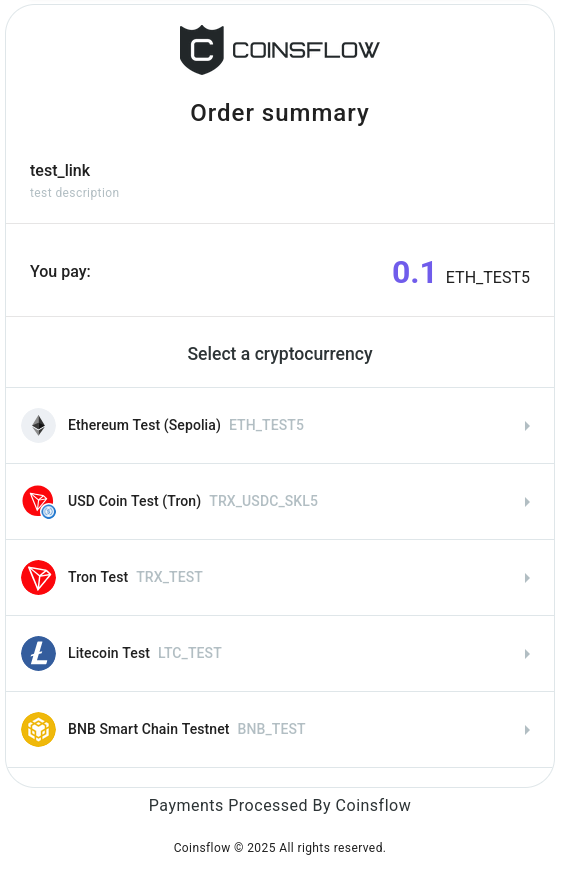
The payment link card is displayed:
-
Select the desired crypto currency (or fiat) to use for the payment.
-
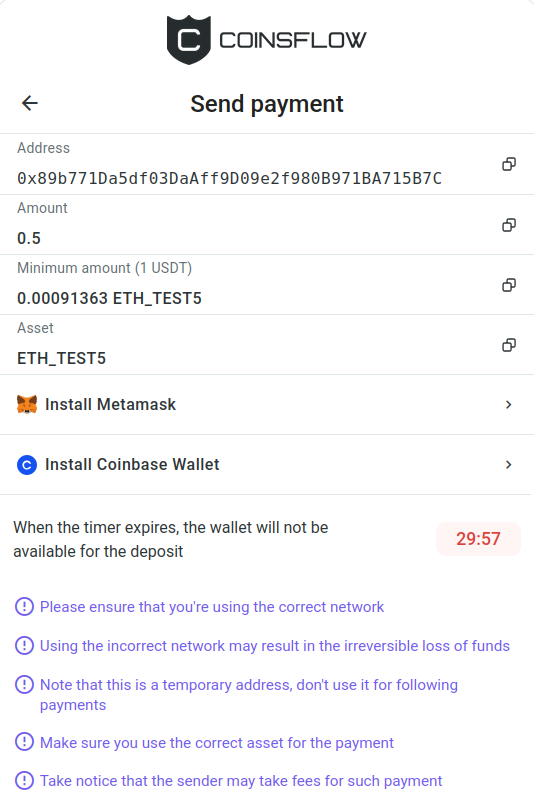
The "Send payment" card is displayed:
-
There are several payment options available, including built-in MetaMask and Coinbase integrations for supported tokens. But you can also simply send the required tokens to the address provided at this step.
The MetaMask and Coinbase integrations can be disabled for a specific project. Please contact support if you need this option.
-
The "Pending" status is displayed, while the operation is processed.
-
If successful, the "Payment successful" status is displayed on the "Payment information" card:
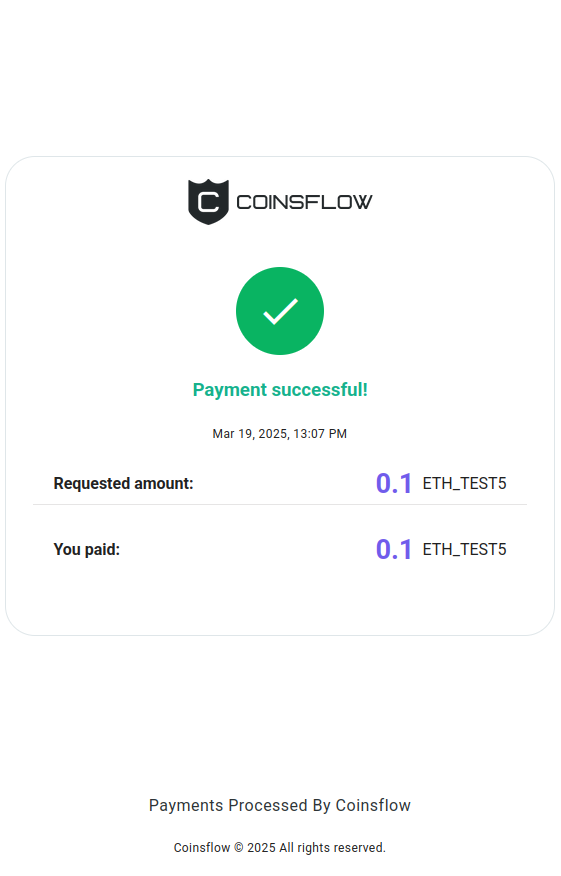
The final screen displays:
- The status of the payment
- Date and time of the payment
- The requested amount
- The paid amount
- The outstanding amount (if the paid amount is above the requested amount)
Notifications and Refunds
-
Your customer is always notified of the payment status by email. In case of overpayment, the support team will contact the customer and process the refund.
-
As a Merchant you can configure what payment notifications you receive on the Notifications page.
Geo-blocking
It is possible to restrict Payment Terminal for IP user addresses from certain regions. Please contact support if you need this option.