Address Book Tab
The Address book allows you to save external addresses you frequently make payouts to with in the Coinsflow Merchant Portal and select them from a convenient dropdown list when creating payouts.
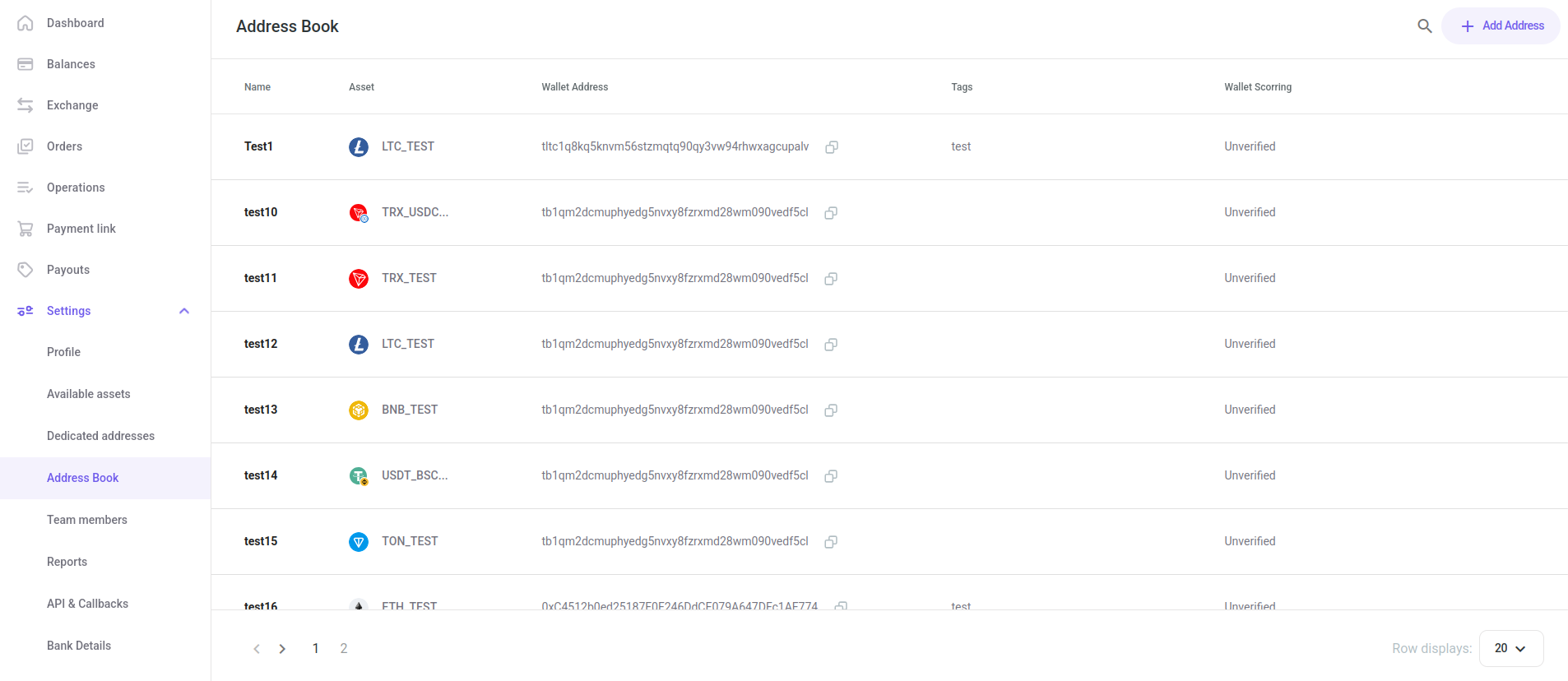
The "Address Book" table displays the following columns:
| Name | Description |
|---|---|
| Name | Displays the name that identifies the wallet address on the platform. |
| Asset | Displays the asset that the address is associated with. |
| Wallet Address | Displays the unique code that identifies the address. |
| Tags | Displays the user-assigned tags for the wallets. |
| Wallet Scoring | Displays the risk scores of the wallets. |
In the Address Book you can:
Add a New Wallet
-
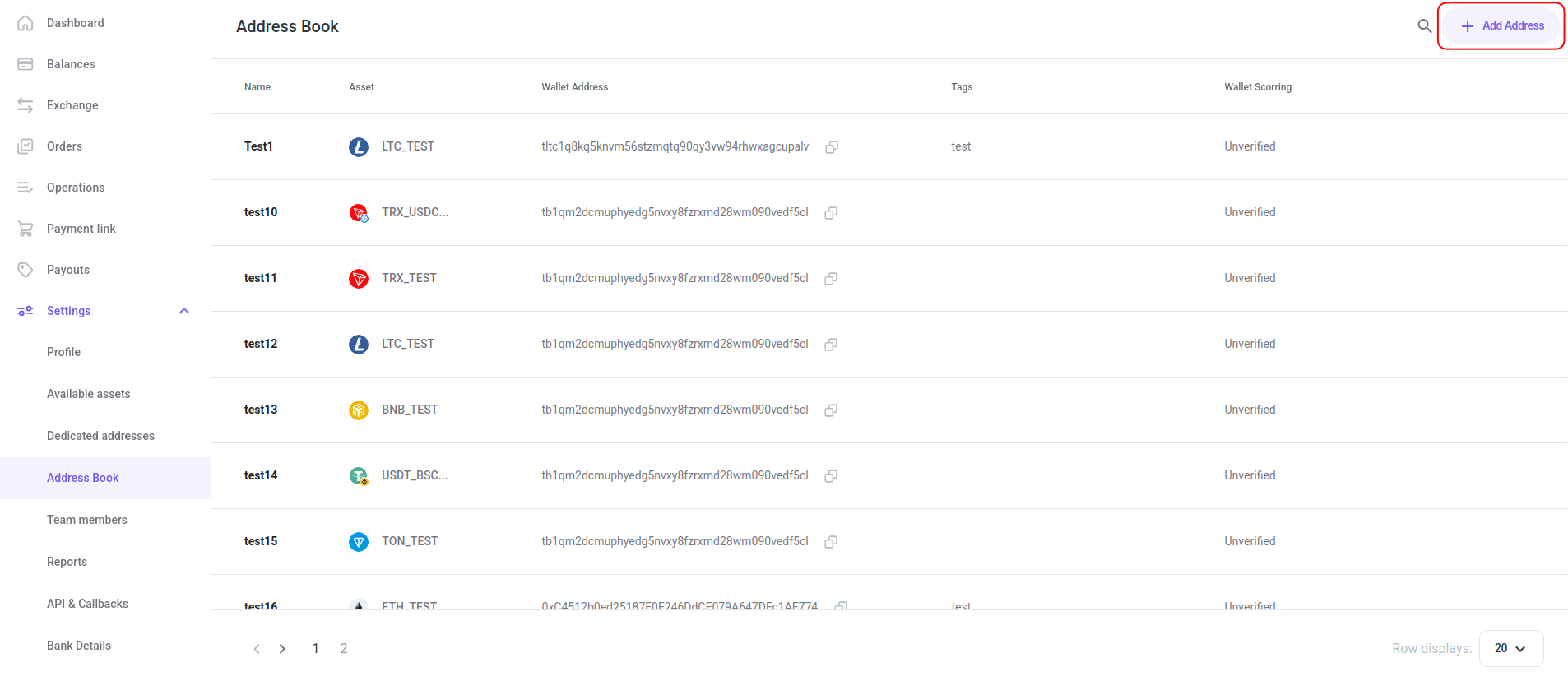
Click on the "Add Address" button:
-
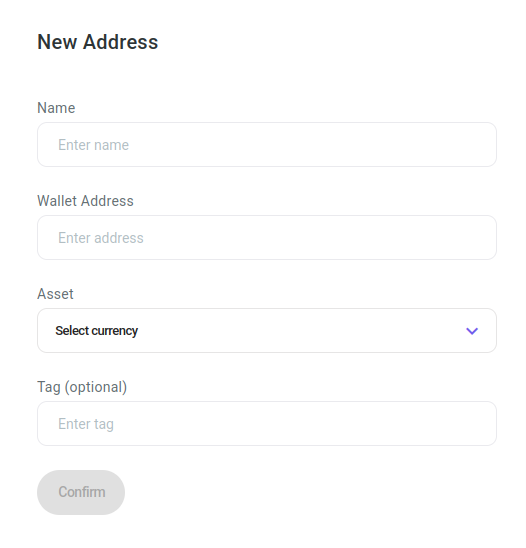
The "New Address" card is displayed:
-
Insert the name to you want to identify the wallet on the platform by and its blockchain address.
-
Select the wallet's asset from the drop-down menu.
-
Optionally, add a tag that will help you identify the wallet among others.
-
Click on the Confirm button to proceed.
-
The wallet address is saved to your address book and displayed in the Address Book table.
Assess the Risk Score of a Wallet
-
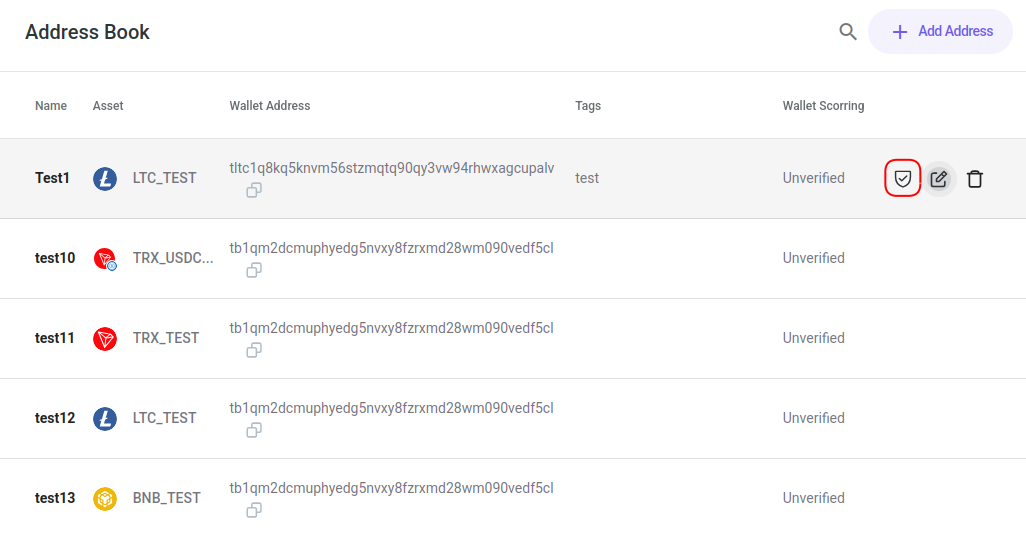
Hover over the row of the wallet address you want to assess and Click on the Risk Score icon:
-
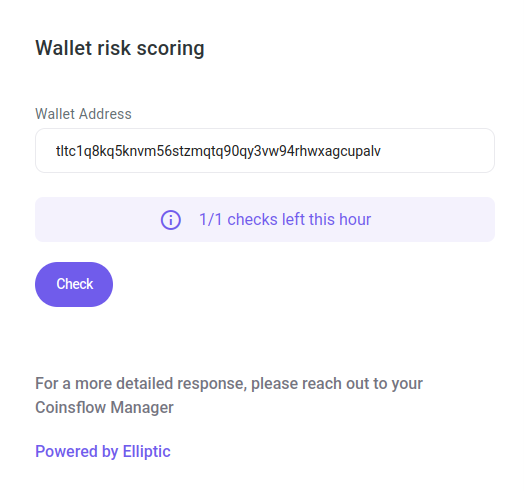
The "Wallet risk scoring " pop-up card is displayed:
-
Click the "Check" button to proceed.
-
The wallet is assessed and its risk score is displayed in the Address Book table.
Note: If you want to know more about wallet risk scoring, please refer to this article.
Edit a Wallet
-
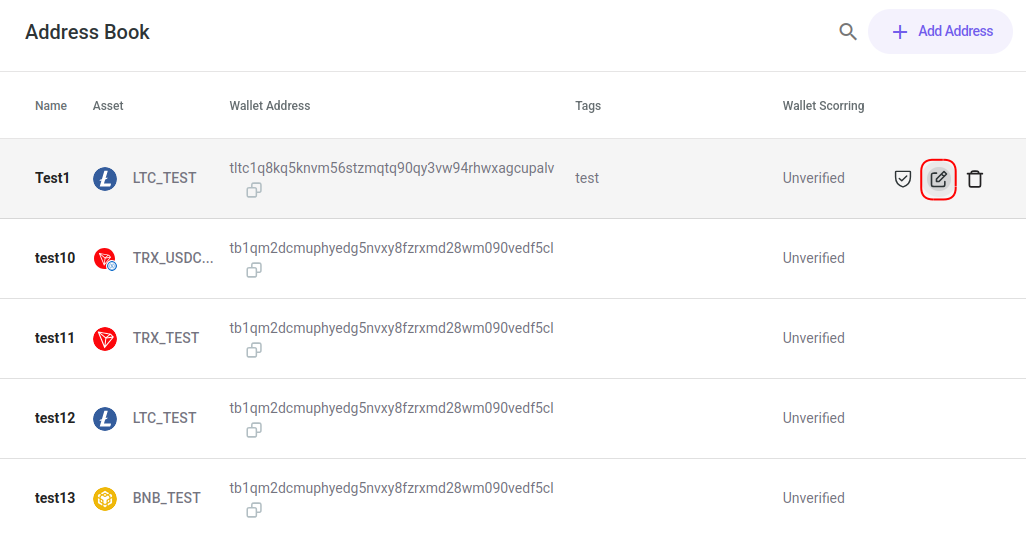
Hover over the row of the wallet address you want to edit and Click on the Edit icon:
-
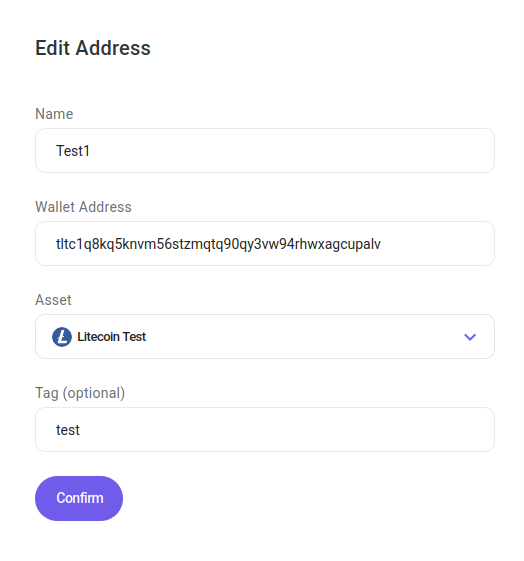
The "Edit Address" pop-up card is displayed:
-
Insert the desired new data for the wallet.
-
Click the "Confirm" button to proceed.
-
The edited address is updated and is displayed in the Address Book table.
Delete a Wallet
-
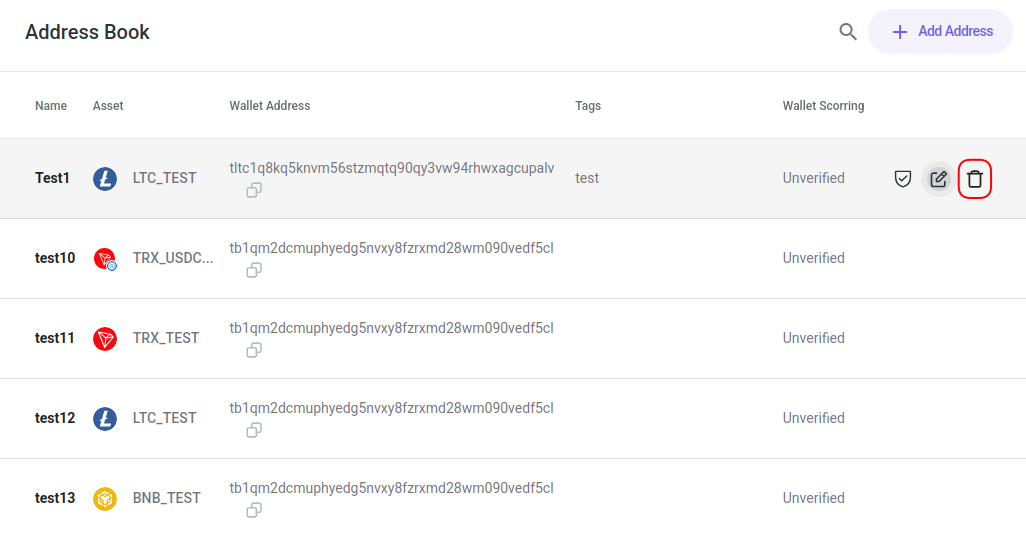
Hover over the row of the wallet address you want to delete and Click on the Delete icon:
-
The "Confirm you actions" pop-up is displayed.
-
Click the "Confirm" button to proceed.
-
The address is deleted.